Summary: Playlists help viewers binge your content, which increases watch time and makes your channel easier to navigate. Learn how to create, organize, and optimize a YouTube playlist so each viewer watches more videos in a single session.
Your viewers just finished one of your videos. What happens next? If you're like most creators, you're hoping they'll stick around, but without a clear path forward, they're gone. That's where YouTube playlists come in.
Playlists do more than organize your content. They create binge-worthy viewing experiences that keep audiences watching video after video, while simultaneously telling YouTube's algorithm exactly what your channel is about. The result is more watch time, better search rankings, and viewers who engage with more of your content.
Whether you're a creator looking to boost your channel's performance or simply want to organize your content library, playlists are one of the most underutilized tools on the platform. Here's how to use them strategically.
Stop Guessing. Start Growing.
Join 20M+ creators using vidIQ to get more views, subscribers, and success on YouTube.
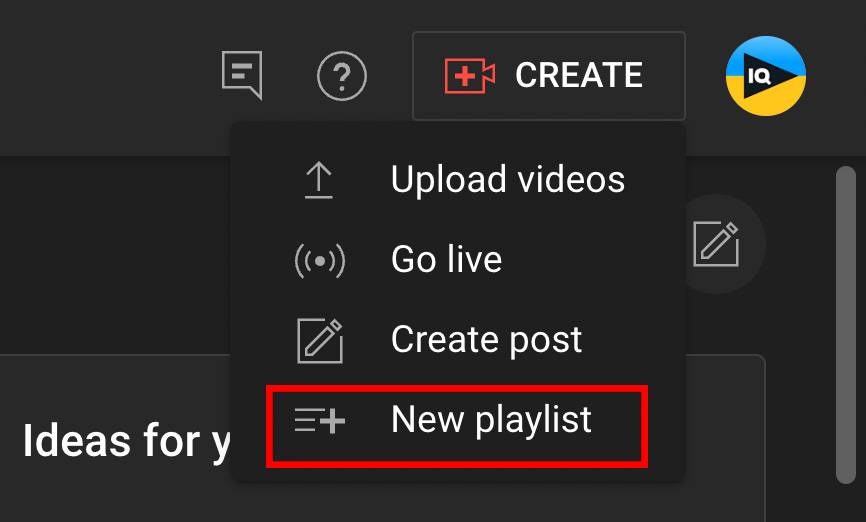
If you are wondering how to create a playlist on YouTube, the process is simple once you know where to find the Create option in YouTube Studio
1. Go to the YouTube Studio and click Create in the top-right corner.
2. Click New Playlist.
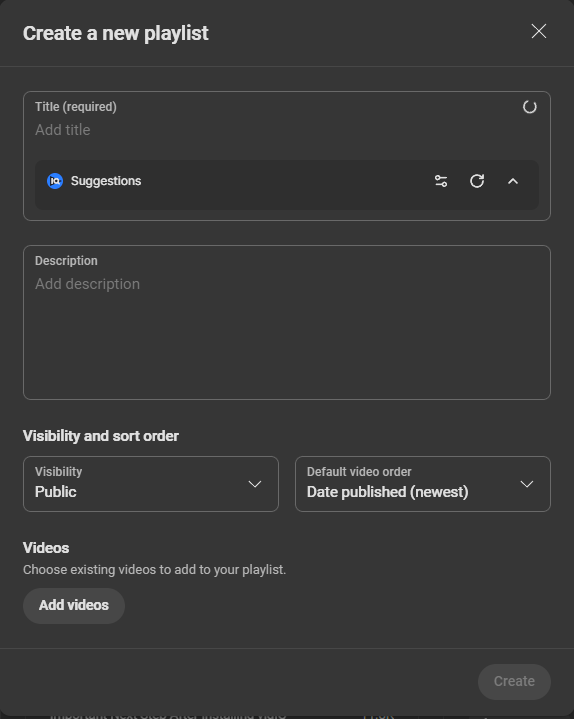
3. Follow the directions on the upcoming screens. Enter a title, set your playlist’s visibility, and click Add videos at the bottom.
4. Here you can add videos from your channel's video library to the playlist.
Making Popular YouTube Playlists
The best YouTube playlists have a few things in common, such as a good title, theme, and thumbnail. In this section, we’ll share eight tips for building a collection of videos.
1. Tell a Story with Your Playlists
When creating playlists, make sure each video is in chronological order. You want to tell a story that keeps building as people go down the list, which means you can’t use random videos in random spots. Your playlist needs a theme.
Here’s an example from Yamaha_Global. This lengthy playlist, “How to Mix Live Music,” goes from a brief introduction to discussing audio equipment to explaining how to do soundchecks. Each video builds upon the last to teach viewers a new skill.
Treat your playlist like the first season of a new TV show. How much content do you need to tell one story? Which episodes come first, second, third, and so on? With this train of thought, you’ll create the right number of videos.
2. Add an Eye-Catching Thumbnail
Like regular videos, your playlist needs a captivating thumbnail to make viewers click. The best YouTube thumbnails have bold text, colorful images, and a simple design that’s easy to understand.
Check out this thumbnail from Outperform. It’s attached to a playlist about sprinting faster, and the image reinforces that idea. You see a man running on a track and the words “proper sprinting form” in big white letters.
Keep in mind that one of the video thumbnails in your list will become the entire playlist’s thumbnail. So always use high-quality images. Later on, you can choose one thumbnail to represent your playlist.
3. Make Playlists Discoverable with SEO
YouTube SEO is the practice of optimizing your content for search engines. Fortunately, optimizing a playlist isn’t too different from optimizing a regular video. All you need is a good playlist title, a video description, and relevant hashtags.
But keep in mind that all of this requires keyword research — the process of finding what people are searching for on YouTube.
Once you know those searches, you can use the most popular phrases in your title, description, and other areas. That helps the YouTube algorithm show your playlist in search results! It works even better when you optimize each playlist video.
4. Create One Playlist for Each Topic You Cover
You’ll need more than one playlist to grow your channel with extra views. To start boosting that number, look at your channel’s focus. Is it dog training? Car reviews? City guides? Whatever your niche is, break it down into sub-topics and create a playlist for each one.
On the vidIQ channel, we have a playlist for almost every topic we cover, including YouTube Shorts, thumbnails, titles, and monetization.
5. Create Playlists About Evergreen Topics
Want people to watch your playlists year-round? Choose evergreen topics that people are always interested in.
Here are some examples:
Best cities to move to
Quick and easy meals
Switching careers
Budgeting advice
Getting in shape
Healthy recipes
Making friends
Parenting
Buying a car
The more valuable the topic, the more views your playlist will get from January to December. So think about long-term clicks before you make a YouTube playlist!
6. Set Your Playlists to Public
There are three privacy settings on YouTube: private, public, and unlisted:
Private videos: Only those who've been invited can watch. Unlisted videos: Only those with the link can watch. Public videos: Anyone can watch.
To get the most views, set your playlist visibility to public.
Here’s how:
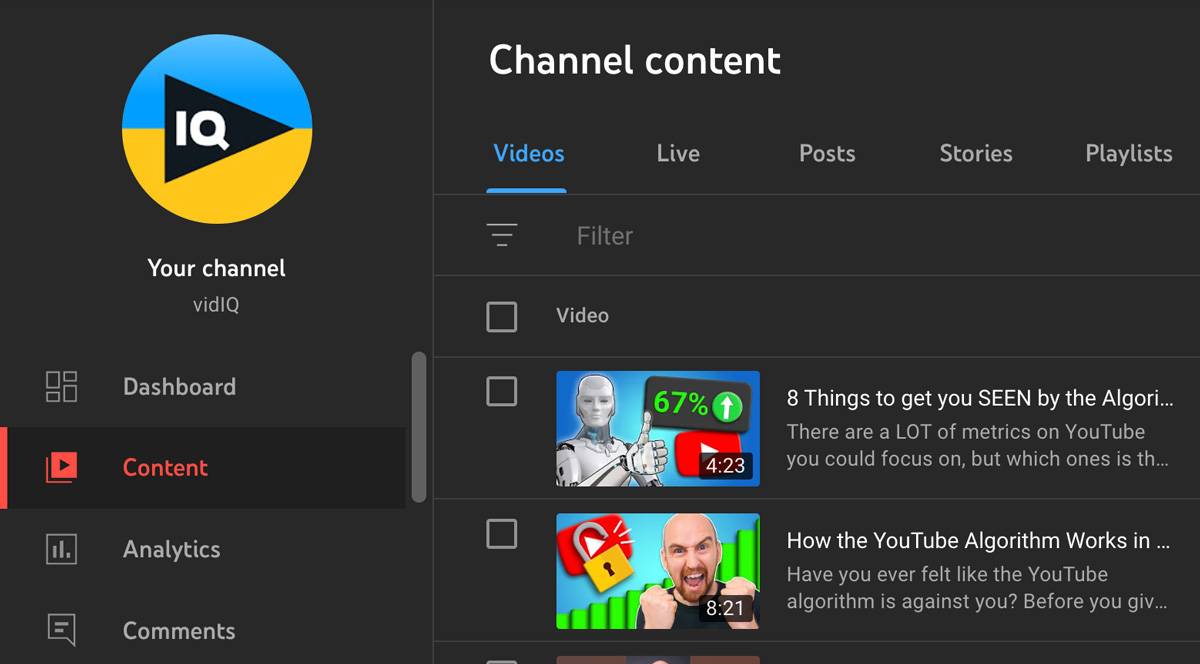
1. Go to the YouTube Studio and click Content in the left menu.
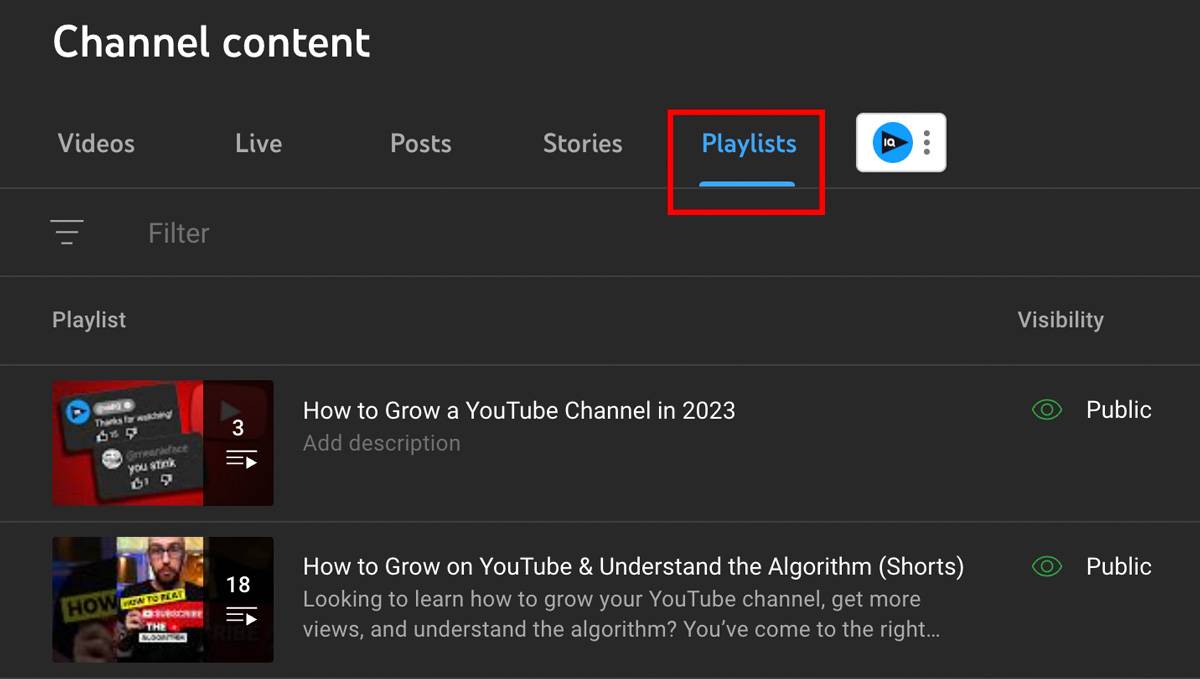
2. Click the Playlists tab.
3. Click the pencil icon beside the playlist you want to edit.
4. Below the playlist title, click set the visibility as Public.
While you’re there, use this same screen to allow playlist embedding. Click the three dots and choose Playlist Settings.
Toggle on embedding to let people share your playlists on their website.
7. Add Playlists to Your Channel Page
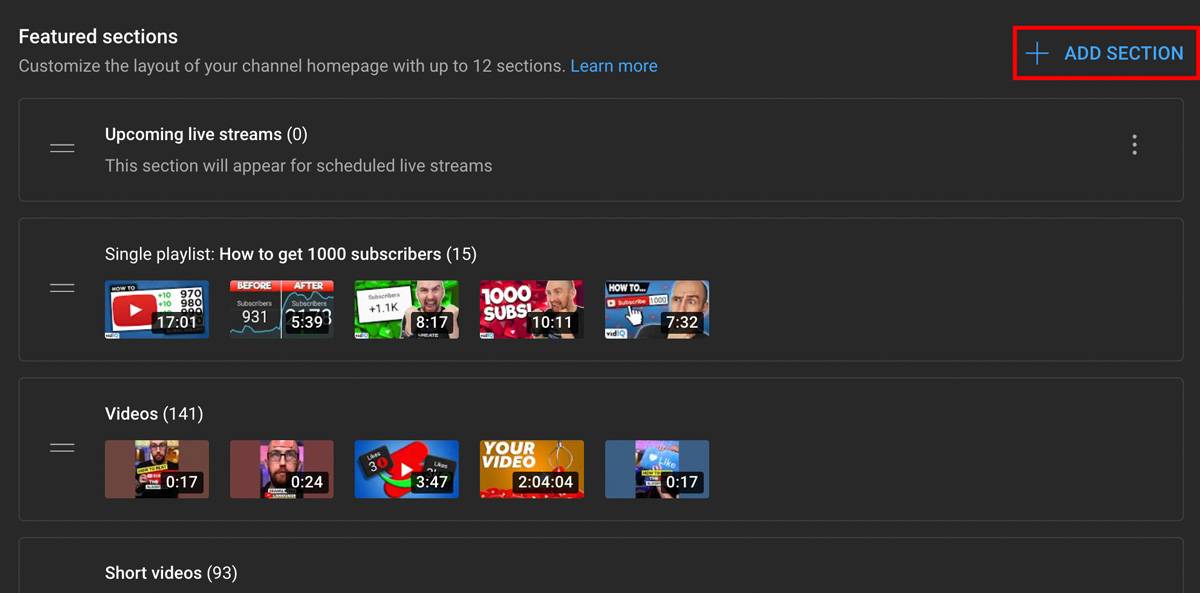
One way to make a playlist popular is by adding it to your channel page. And don’t stop at just one! YouTube allows for 12 featured sections, which can be a mix of recent uploads, playlists, live streams, Shorts, and more.
Here’s how to add a playlist to your channel homepage:
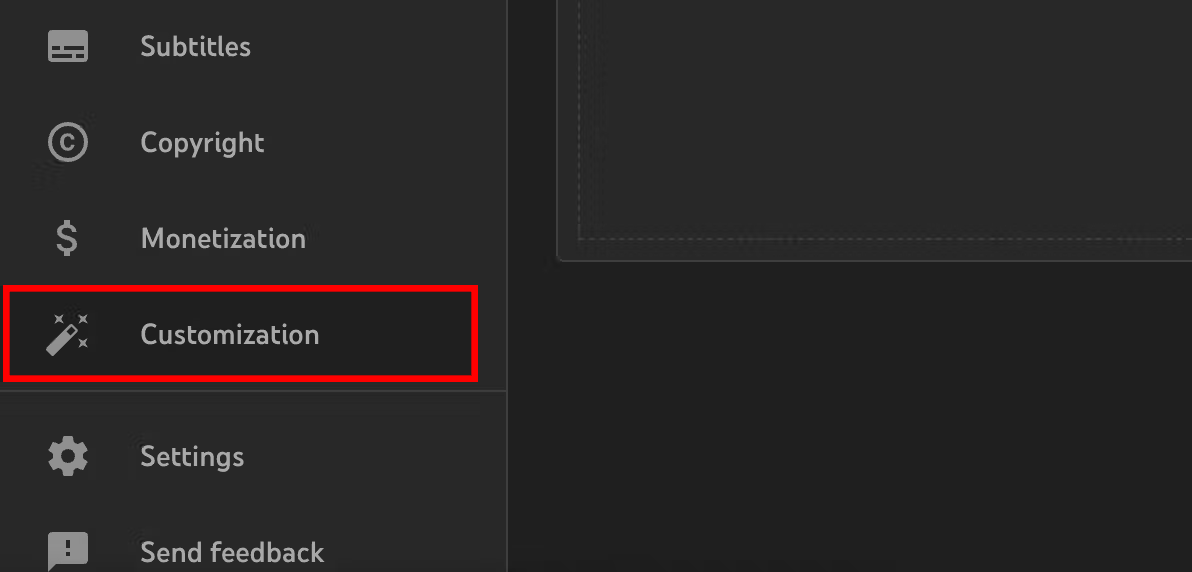
1. Go to the YouTube Studio and click Customization in the left menu.
2. Click the Layout tab.
3. Next to Featured Sections, click Add Section.
4. Select single, created, or multiple playlists. Choose a playlist and click Publish (top-right corner).
8. Share Your Playlists
YouTube is always recommending content to viewers, but there are other ways to get views on a playlist. For one, you can share it on social media sites like Instagram and Facebook. You can also share playlists in the YouTube Community tab.
Another option is embedding a few playlists on your website. If you have a blog or landing page, adding a playlist can boost your views from outside of YouTube.
Also, don’t forget about community forums. If you know an online community that needs help doing something — and your playlist has the answer — share it! You can post within Reddit groups, Discord servers, and Facebook groups.
How to Organize Your YouTube Playlists for Maximum Engagement
Knowing how your YouTube playlists perform is key to growing your channel with playlists. You can see the numbers in YouTube Studio under Analytics.
Watch for data like playlist starts, average watch time, and videos per viewer. If viewers only watch one or two videos, try changing the order or theme of your playlist. You can also estimate how many viewers watch the entire playlist by comparing the first and last video views.
Playlist Type
Tutorial Series
Topic Collection
Best-of Compilation
Chronological Series
Best For
Step-by-step learning
Niche Exploration
Showcasing Top Content
Storytelling
Example
"Complete YouTube SEO guide"
"All About YouTube Shorts"
"Our Most Popular Videos"
"Channel Growth Journey"
The image above gives you an idea of how to think about making your playlist, depending on the content you're making or whatever your audience connects with the most.
Think about what makes a playlist work well. Ask yourself:
Is the theme clear?
Do the videos follow a smooth order?
Do the thumbnails catch the eye?
Creating playlists on YouTube is a great way to grow your channel, but it's not the only way.
Yes! You can make a new playlist filled with Shorts or add Shorts to an existing playlist. Both are possible.
How many videos can you have in a YouTube playlist?
The limit is 5,000 videos.
How many playlists can you have on YouTube?
The consensus is that you can create an unlimited number.
Do playlists help with YouTube SEO?
Yes, playlists can boost your SEO because they appear in search results. Use keyword-rich titles and descriptions to improve their discoverability.
Do playlists increase watch time on YouTube?
Yes, playlists can significantly increase watch time because they automatically play videos one after another. This keeps viewers on your channel longer.
Can I rearrange videos in my YouTube playlist?
Yes, you can drag and drop videos to reorder them. A well-organized sequence helps tell a story and can keep viewers watching longer.
How to share a YouTube playlist?
Open the playlist on YouTube, click the Share button, and copy the link or use the built in share options for social platforms. You can also embed the playlist on a website using the Embed option.
How to delete a playlist on YouTube?
Open YouTube Studio, click Content, then go to the Playlists tab. Select the playlist you want to remove, open the menu options, and choose Delete; this removes the playlist but does not delete any of the videos inside it.
20k+ 5 Star Reviews
Ready to put this into action?
Use vidIQ to find your next video idea, pick better keywords, and optimize every upload.
Lydia Sweatt is a writer who loves balancing her article/blog time indoors with a healthy dose of nature. She bikes, hikes, and identifies edible plants along the way.